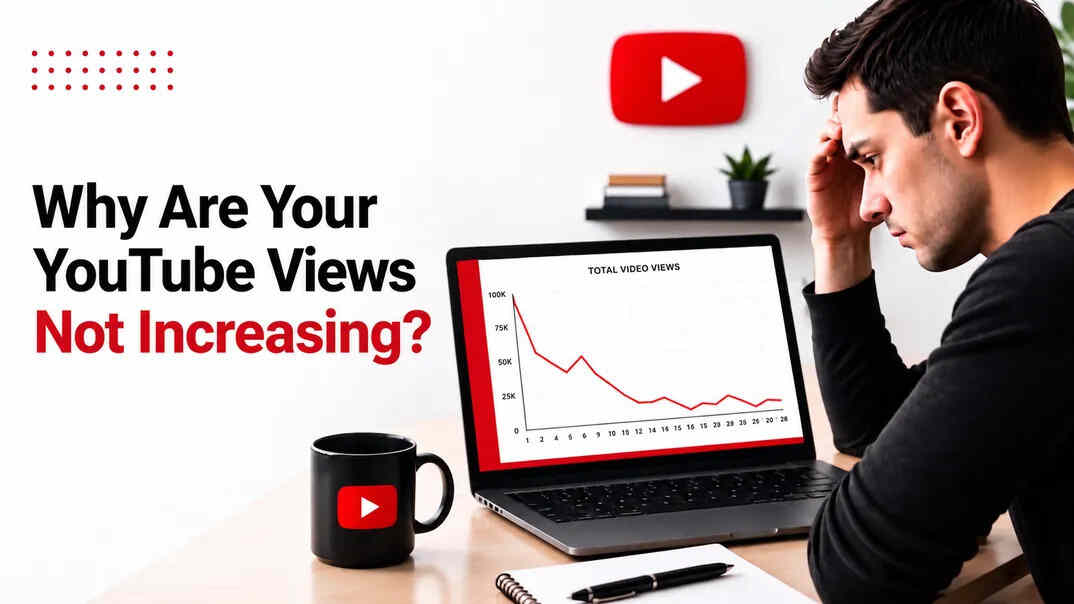



Why are my YouTube views not increasing? It's the question I hear more than almost any other from creators, and after years of digging through YouTube Studio dashboards for channels of every size, I can tell you the answer is rarely bad luck. It's almost always a specific performance signal that's telling YouTube not to recommend your video. In this guide, I'll walk you through exactly how YouTube decides what gets seen, then break down each common reason your views stall out alongside the specific fix for it, so you can address the right problem first.
How YouTube Decides Which Videos Get More Views
YouTube isn't manually picking winners. It's running your video through a chain of signals, and each one has to hold up before the next one even matters.
- Impressions: how often YouTube shows your thumbnail to potential viewers, whether in Browse, Suggested, or Search
- Click-through rate (CTR): the percentage of people who see your thumbnail and actually click
- Watch time and average view duration: how long people stay once they click
- Audience retention: the shape of your retention graph, including where viewers drop off
- Engagement and viewer satisfaction: likes, comments, shares, and post-video surveys that tell YouTube whether people were happy they watched
These signals work in sequence, not isolation. If impressions are low, a great CTR doesn't matter because almost nobody sees the thumbnail. If CTR is strong but retention collapses in the first 30 seconds, YouTube stops recommending the video regardless of how many people clicked. That's why generic advice like "post more" or "use better titles" so often fails. You have to know where the chain is actually breaking, which is exactly what the reasons and fixes below will help you do.
Reason 1: You're Posting About Too Many Different Topics
If your channel jumps from cooking to gaming to personal finance, YouTube's recommendation system struggles to figure out who to show your videos to. The algorithm builds a profile of your channel based on the audience that watches it, and a scattered topic list means a scattered, unreliable audience. This also confuses your own subscribers, who followed you for one thing and don't know what to expect next.
The Fix:
Commit to one clear niche and stay in it for at least your next 15 to 20 uploads. Topical authority builds when YouTube can confidently match your content to viewers who've shown interest in that exact topic before. Take an honest look at your last 20 videos. If a stranger couldn't summarize your channel in one sentence, narrow your focus before doing anything else on this list.
Reason 2: Your Thumbnails Don't Earn Clicks
Impressions without clicks are wasted opportunities, and thumbnails are the single biggest lever for CTR. A thumbnail needs to create curiosity or an emotional pull within a fraction of a second, since that's roughly how long you have on a crowded homepage or Suggested feed.
Common thumbnail mistakes I see constantly:
- Text that's unreadable on a phone screen
- Faces with flat, unclear expressions
- Thumbnails that look identical to ten other videos in the same niche
- No visual hierarchy, so the eye doesn't know where to land
The Fix:
Rebuild your thumbnail around a single clear focal point with a strong expression or bold visual contrast. Test simplicity over clutter, and compare CTR across a few different styles before settling on a direction. A busy design packed with text and graphics almost always loses to a clean, high-contrast image.
Reason 3: Your Titles Don't Match Search Intent
Your title has two jobs: it needs to be searchable, and it needs to create a curiosity gap that makes someone want to click even after they've read it. A lot of creators optimize for one and ignore the other. A purely keyword stuffed title reads like a robot wrote it and nobody clicks. A purely clickbait title with no relevant keywords means YouTube's search and suggestion systems don't know when to surface it.
The Fix:
Put your primary keyword near the front of the title, then frame the rest around a specific outcome, question, or tension the viewer wants resolved. Every title should pass two tests at once: would this show up in a relevant search, and would this make someone curious enough to click.
Reason 4: Your Videos Lose Viewers Too Quickly
The first 30 seconds of a video matter more than almost anything else you produce. If viewers bail early, YouTube reads that as a signal the content didn't deliver on its promise, and it will pull back on recommending it no matter how good the rest of the video is.
A steep drop in the first 15 to 30 seconds usually means one of these:
- The intro is too slow or spends too long on branding and greetings
- The video doesn't clearly deliver on what the title and thumbnail promised
- There's no hook that tells the viewer what they're about to get
The Fix:
Watch your own retention graph in YouTube Studio and identify exactly where the drop happens. Cut slow intros, deliver on your title's promise within the first line, and add a clear hook stating what the viewer is about to get. Pacing matters throughout the video too, not just the opening, so trim dead air and repeated points anywhere they chip away at average view duration.
Reason 5: Your Videos Aren't Getting Enough Impressions
This is a different problem from CTR, and it's one of the most misunderstood. Low impressions mean YouTube isn't showing your thumbnail to enough people in the first place, which usually comes down to one of three traffic sources underperforming: Browse features, Suggested videos, or Search.
The Fix:
Check the Traffic Source Types report to see where your impressions historically come from. If Suggested traffic has dropped, that's usually a topic consistency or audience match issue, since that's exactly what the Suggested algorithm is built around. Tightening your niche, as covered in Reason 1, is often the fastest way to recover impressions here.
Reason 6: You're Targeting Topics Nobody Is Searching For
Even a perfectly executed video will struggle if it's answering a question nobody's asking. This is a demand problem, not an execution problem, and no amount of thumbnail or title optimization fixes it.
The Fix:
Before you script your next video, do basic keyword research. Look at what's already ranking, check search suggestions inside YouTube's own search bar, and look at whether existing videos on that topic have meaningful view counts. If you're consistently choosing low or zero demand topics, shift toward subjects with proven search interest, even within your existing niche.
Reason 7: Your Upload Schedule Is Inconsistent
Sporadic uploading, especially long gaps followed by bursts, tends to reset momentum every time. Consistency doesn't directly boost the algorithm the way some creators assume, but it does two things that matter: it trains your existing audience to expect and look for new content, which improves returning viewer numbers, and it gives YouTube more data points to understand your channel's audience and performance patterns.
The Fix:
Pick a realistic cadence you can sustain, whether that's weekly or biweekly, and stick with it rather than chasing an aggressive schedule you'll abandon in a month. A modest, reliable schedule maintained for months beats an ambitious one you can't keep up.
Reason 8: Your Videos Aren't Optimized for YouTube SEO
Metadata is still doing real work, even in an algorithm increasingly driven by engagement signals. Skipping the basics leaves easy gains on the table, even if it won't replace a strong hook or a compelling thumbnail on its own.
The Fix: Cover these on every upload:
- A description that naturally includes your primary and secondary keywords in the first two lines
- Accurate tags that reflect the actual content and topic cluster
- Chapters for longer videos, which improve navigation and watch time
- Captions, which help with accessibility and give YouTube more context about your content
Reason 9: You're Ignoring YouTube Analytics
Creators who grow consistently are the ones who actually read their YouTube analytics instead of guessing. Without that habit, you end up fixing the wrong problem repeatedly.
The Fix: Check these metrics regularly and track trends over time rather than isolated numbers:
- CTR: shown per video and compared against your channel average
- Average View Duration: how long people watch, in minutes and seconds
- Returning Viewers: whether your existing audience is coming back
- Audience Retention: the shape of the graph, not just the percentage
- Traffic Sources: where your views are actually coming from
Benchmarks vary by niche and audience size, so treat any number you read online as a rough reference point rather than a rule. A CTR that's dropping video over video tells you more than a single CTR number compared to a stranger's channel.
Reason 10: You're Expecting Growth Too Quickly
This one's less technical and more about mindset, but it affects real decisions. YouTube needs time and repeated data points to understand a new video or a shifted content direction. Judging a video's performance in the first few hours, or judging a new content strategy after two uploads, usually leads to premature pivots that never let any single approach actually prove itself.
The Fix:
Give a meaningful content change at least 8 to 10 videos before deciding it isn't working, and give individual videos at least a few days before writing them off. Patience isn't passive here. Keep applying the fixes above while you wait for the data to catch up.
Read more: How to Get Your First 1,000 Subscribers on YouTube
Strategic Diagnostic: How to Diagnose Low YouTube Views
Instead of guessing which reason applies to you, work through this in order. Each answer tells you exactly where to focus.
- Are impressions low? Improve topic consistency and keyword targeting first. Nothing else matters until people see the thumbnail.
- Are impressions healthy but CTR low? Fix your thumbnail and title before touching anything else.
- Is CTR good but average view duration and retention weak? Rework your hook, pacing, and the promise you're making versus what you deliver.
- Is retention strong? Look at engagement and viewer satisfaction signals, like comments, likes, and shares, to push further growth.
This mirrors how YouTube itself evaluates a video, and it stops you from redesigning your thumbnail when the real problem is that almost nobody is seeing it in the first place.
Buying Views vs Growing Organically
I'll address this directly since it comes up constantly. Buying views can inflate a number on your video, but it doesn't move any of the signals YouTube actually weighs, like CTR, retention, or genuine engagement. In many cases it can hurt your standing, since a spike in views with no matching watch time or engagement looks unnatural to YouTube's systems. If you're looking for a faster, safer way to build initial momentum, working with a legitimate growth service that focuses on real audience engagement and visibility, rather than inflated view counts, is a far more sustainable path. Organic growth built on the fundamentals above will always hold up better over time.
If you're looking for a safer way to increase YouTube views, focus on strategies that attract real viewers through high-quality content, strong optimization, and authentic audience engagement rather than relying on artificial metrics.
Fix One Metric at a Time
Once you've diagnosed which signal is failing, resist the urge to overhaul everything at once. Change your thumbnail strategy for a few videos and measure CTR before you also rewrite your hooks and shift your topics. Stacking changes makes it impossible to know what actually worked, and it makes your channel's data noisier for YouTube to interpret too. Small, measured adjustments based on your actual analytics will get your views moving again faster than a total reinvention.
Read more: How to Get Recommended on YouTube - Proven Strategies
Final Take
Growing a YouTube channel isn't about luck; it's about data-driven patience. Instead of guessing, identify exactly where your audience is dropping off, be it impressions, CTR, or retention, and tackle that specific bottleneck first using the matching fix above. Focus on building genuine, organic interest by staying consistent in your niche and creating content that rewards viewers for their time. Success comes from small, measured adjustments over time, not quick fixes.
Frequently Asked Questions
Why did my YouTube views suddenly stop?
A sudden drop usually points to a shift in impressions or CTR, often caused by a topic change, a weaker thumbnail or title on recent uploads, or a drop in retention that signaled to YouTube the content wasn't satisfying viewers. Check your Traffic Source and CTR reports for the exact video where the drop started.
Why am I getting no impressions?
Low impressions typically mean YouTube isn't confident who to show your video to, which happens with inconsistent topics, a new or unproven channel, or content that doesn't clearly match search or Suggested demand. Improving topic focus and keyword targeting usually helps first.
Does YouTube stop promoting videos?
YouTube doesn't permanently stop promoting a video, but it does reduce recommendations if early performance signals like CTR or retention are weak. Strong performance can bring renewed impressions later, especially if the topic remains relevant.
How do I increase YouTube views organically?
Focus on one niche, create thumbnails and titles that earn clicks, keep viewers watching with a strong hook and steady pacing, and use your analytics to see which of those areas is actually underperforming before making changes.
Why did my YouTube Shorts stop getting views?
Shorts rely heavily on completion rate and rewatches rather than traditional CTR. If your Shorts have slowed down, look at average percentage viewed first, since a weak hook in the opening one to two seconds is the most common cause.
How long does it take for YouTube to recommend a video?
There's no fixed timeline. YouTube typically tests a video with a small audience first, then expands distribution if early CTR and retention signals are strong. This can happen within hours or take several days depending on the topic and channel history.
Does deleting a video hurt my channel?
Deleting a video removes its accumulated watch time and view history from your channel's overall performance data, which can slightly affect how YouTube evaluates your channel. In most cases the impact is minor unless the video was a major traffic driver.
What is a good CTR on YouTube?
CTR benchmarks vary widely by niche, thumbnail style, and audience size, so there's no universal number. What matters more is your CTR trend over time and how it compares to your own channel average rather than to other creators.
How much watch time is considered good?
Good watch time is relative to your video length and niche. A stronger signal than an absolute number is whether your average view duration is trending up or down compared to your recent uploads.
Why are my subscribers not watching my videos?
This often points to a mismatch between what subscribers originally followed you for and what you're currently posting, or simply that notification settings and algorithm delivery aren't surfacing your videos to them. Consistent topics and strong hooks help re-engage existing subscribers.
Can buying YouTube views help?
Buying views can inflate a surface level number, but it doesn't improve CTR, retention, or engagement, the signals YouTube actually uses to recommend content. It can also create an unnatural performance pattern that hurts a video's standing rather than helping it.
Should I change my whole content strategy if views are low?
Not immediately. Diagnose which specific metric is underperforming first using the step by step method above, then make targeted changes and measure the results before deciding a full strategy overhaul is necessary.