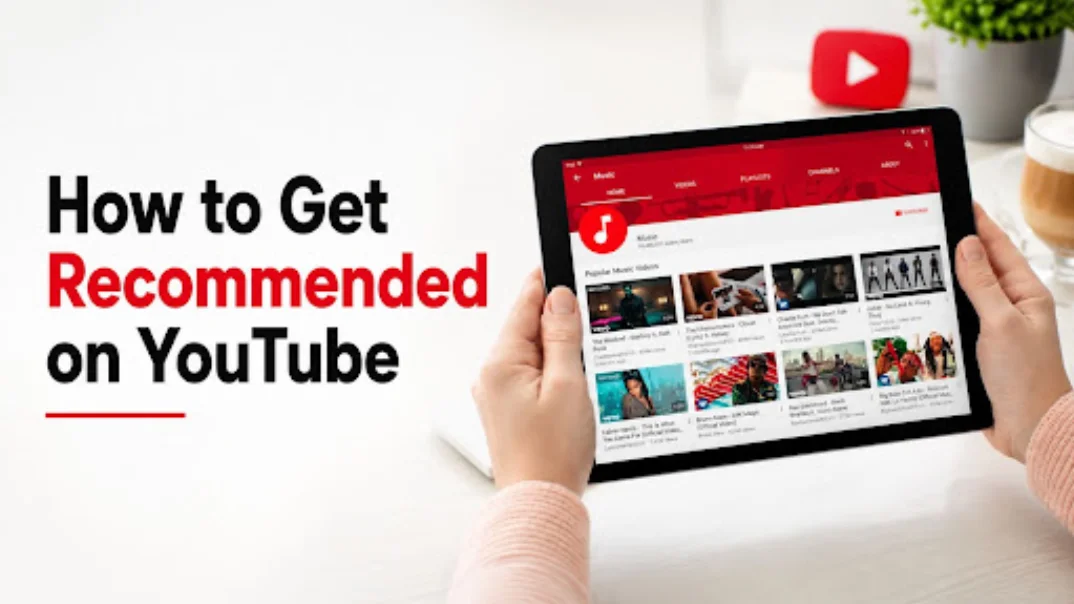



How to get recommended on YouTube comes down to one thing most creators overlook: recommendations aren't random, and they're not a reward for uploading frequently either. They're earned through a chain of performance signals that tell YouTube your video is worth showing to more people. I've spent years reading recommendation patterns across dozens of channels, and the creators who consistently land in the Home Feed and Suggested Videos are the ones who understand that system instead of guessing at it. In this guide, I'll break down exactly how YouTube's recommendation engine works and what you need to optimize at each stage to get featured more often.
Quick Audit Action Checklist
- Packaging: Audit your thumbnails and titles together as one unit. Do they promise a specific, relevant outcome that creates immediate curiosity?
- First 30 Seconds: Review the retention graph for your last 5 videos. Does the audience drop off sharply in the opening? If so, remove the intro fluff and start with the hook.
- Topic Alignment: Check if your last 10 videos fit a consistent niche. If you are jumping between unrelated topics, identify your core niche and focus there.
- Session Value: Add end screens pointing to a specific, related video and organize your content into clear playlists to encourage binge-watching.
- Data Review: Open YouTube Studio and compare your last 5 videos' CTR and Average View Duration against your channel average. Identify the one area where you are consistently underperforming and optimize only that for your next upload.
How the YouTube Recommendation System Works
Every video goes through the same basic pipeline before YouTube decides how far to push it.
Viewer → Video Testing → CTR → Retention → Watch Time → Viewer Satisfaction → More Recommendations
Here's what that actually means in practice. When you publish a video, YouTube shows it to a small test audience, often people who've already watched similar content from you or from other creators in your niche. How that test group responds determines what happens next.
For example, if your video is tested with 100 viewers and achieves a 5% CTR, the system might expand it to 1,000 viewers. If that second group drops off in the first 30 seconds, the expansion stops.
If click-through rate is strong, YouTube expands the test to a slightly larger audience. If retention and watch time hold up within that expanded group, it tests further still. If viewer satisfaction signals stay strong through all of that, the video keeps climbing into more Suggested slots, more Browse Features placements, and eventually the Home Feed.
The key insight here is that this isn't a one-time evaluation. It's a repeated cycle. A video that performs well in week one can keep expanding for months, and a video that stalls can quietly reactivate later if search demand shifts or a related topic trends. Recommendations are a live, ongoing process, not a single verdict YouTube hands down at upload.
Where YouTube Recommends Videos
"Getting recommended" isn't one single placement. YouTube surfaces videos across several distinct systems, and each one behaves a little differently.
- Home Feed: the main landing page, driven heavily by watch history and topic affinity
- Suggested Videos: the sidebar and autoplay queue shown alongside a video someone's currently watching
- Browse Features: a catch-all term covering Home and subscription feed placements outside of Search
- Up Next: the specific video queued to autoplay after the current one ends
- YouTube Search: driven more by keywords and search intent match than by the signals above
- Shorts Feed: its own swipe-based system, weighted heavily toward completion rate and rewatches
Most creators only think about Search. But for channels that grow past their initial subscriber base, Browse Features and Suggested Videos typically become the dominant traffic source. Understanding which of these is underperforming for your channel is the first step to fixing it.
12 Strategies to Get Your Videos Recommended on YouTube
1. Increase Your Click-Through Rate (CTR)
CTR is the first real gate in the recommendation pipeline. If people see your thumbnail and don't click, nothing downstream matters, because YouTube never gets the retention or watch time data it needs to keep testing your video further.
Strong CTR comes from packaging that creates curiosity or emotional pull instantly:
- A thumbnail with one clear focal point, not a cluttered collage
- An expression or visual that reads instantly even at a small size
- A title that promises a specific, relevant outcome
- Readable text that doesn't require squinting on a phone screen
Test different thumbnail styles across similar videos and track which ones consistently outperform your channel average. CTR benchmarks vary a lot by niche, so compare against your own history rather than someone else's numbers.
2. Improve Audience Retention
Once someone clicks, retention becomes the next gate. YouTube tracks exactly where viewers drop off, and a steep early decline signals that the video didn't deliver on its promise.
The first 30 seconds matter most. A slow intro, a delayed hook, or an opening that doesn't match what the thumbnail and title promised will tank retention before the video even gets going. Beyond the opening, pacing throughout the video affects retention too. Cut dead air, avoid repeating points, and structure your content so every section earns the next one.
Check your Audience Retention Graph in YouTube Studio regularly. Sharp drops at specific timestamps point to exact moments worth re-editing or rethinking in future videos.
3. Keep Viewers Watching More Videos
This is where a lot of guides stop short, and it's a real gap I want to close here. YouTube doesn't just care about how long someone watches a single video. It cares about session watch time, meaning how long a viewer stays on YouTube overall after clicking into your content.
If your video ends and the viewer leaves the platform, that's a weaker signal than if they immediately watch another video, whether it's yours or someone else's. You can influence this directly:
- Use end screens to point to a specific, relevant next video
- Build cards that link to related content mid-video
- Group related videos into playlists so autoplay keeps momentum going
- Structure content in series so viewers have a reason to keep clicking
Channels that build strong viewing sessions tend to get pushed harder into Suggested Videos and Up Next, since YouTube sees them as reliable at keeping people engaged on the platform.
If your goal is to increase YouTube watch hours , prioritize strategies that keep viewers engaged across multiple videos and encourage longer viewing sessions.
4. Focus on One Content Niche
Topic consistency directly affects how confidently YouTube can recommend your content. When your channel covers a tight, consistent niche, YouTube's system builds a clear profile of who your audience is and can match your videos to similar viewers with much more confidence.
A scattered channel, jumping between unrelated topics, makes that matching process unreliable. Even loyal subscribers get confused about what to expect, which hurts returning viewer numbers. Topical authority isn't just an SEO buzzword here. It's directly tied to how the recommendation system evaluates confidence in showing your content to new viewers.
A consistent niche and engaging content not only improve recommendations but also help you get more subscribers by giving viewers a clear reason to return for future videos
5. Publish Consistently
Consistency doesn't move the algorithm by itself, but it feeds two things that do. First, it trains your audience to expect new content and come back for it, which improves returning viewers. Second, it gives YouTube a steadier stream of performance data to work with, which makes its predictions about your channel more reliable over time.
Irregular uploading, especially long gaps followed by sudden bursts, tends to reset that momentum each time. Pick a schedule that's sustainable for you long term rather than an aggressive one you'll abandon after a month.
6. Optimize Titles and Thumbnails Together
Titles and thumbnails shouldn't be treated as separate tasks. They work as a single unit, often called packaging, and viewers process them together in the split second before deciding to click.
A thumbnail that shows a dramatic reaction paired with a flat, generic title wastes the emotional pull you just created. A keyword-heavy title paired with a boring thumbnail won't get clicked even if it's technically well optimized. Design them side by side, and ask whether the combination creates a clear, specific reason to click that neither element could create alone.
7. Target Topics With Existing Demand
Even perfect packaging and pacing can't fix a topic nobody's searching for or interested in. Before scripting a video, check what's already performing well in your niche, look at search suggestions inside YouTube's search bar, and see whether similar videos from other creators have real view counts.
This matters more for Search and Browse traffic than for Suggested Videos, but it still affects your overall recommendation potential, since a video with no built-in demand struggles to build the early momentum needed to expand into wider distribution.
8. Create Videos People Actually Finish
Average View Duration tells you how long people watch in raw time. Relative Retention compares your retention curve against other videos of similar length on YouTube, which is often the more useful number since it accounts for the natural drop-off that happens in longer videos.
Watch both. A video with a decent Average View Duration but poor Relative Retention compared to similar-length content is still underperforming relative to what YouTube expects from that format. Use this comparison to figure out whether your video length actually matches how much value you're delivering.
9. Encourage Positive Viewer Signals
Comments, likes, shares, subscriptions gained after watching, and returning viewers all feed into what YouTube treats as viewer satisfaction. These signals matter, but I want to be direct about something a lot of articles gloss over: engagement alone doesn't compensate for weak retention.
A video can rack up comments and still get deprioritized if people are dropping off early. Satisfaction signals work best as a layer on top of strong retention and watch time, not as a substitute for them. Ask questions in your videos, respond to comments early after publishing, and give people a genuine reason to react, but don't expect engagement tactics to fix a fundamentally weak retention curve.
Alongside comments and shares, finding ways to increase YouTube likes can help reinforce positive engagement signals that support long-term channel growth.
Read more: Why Are My YouTube Views Not Increasing?
10. Build Viewing Sessions
This ties back to session watch time, but it deserves its own focus because it's one of the most underused levers available to creators. Structuring your channel around series, tightly organized playlists, and clear internal linking between related videos keeps viewers moving through your content instead of leaving after one video.
Think of your channel less like a list of individual uploads and more like a connected library. When someone finishes one video and immediately has an obvious next step, whether through an end screen, a playlist, or a related series entry, you're building the kind of session behavior that YouTube rewards with wider distribution.
11. Analyze YouTube Studio Metrics
Guessing is the enemy of consistent growth. The creators who reliably get recommended are the ones checking their data regularly and adjusting based on what it actually shows. Focus on:
- CTR: per video, tracked against your channel average
- Impressions: whether YouTube is showing your thumbnail to enough people
- Audience Retention: the shape of the graph, including exact drop-off points
- Watch Time: total and average, by video
- Returning Viewers: whether your existing audience keeps coming back
- Traffic Sources: the breakdown between Suggested, Browse, Search, and Shorts
- Suggested Videos and Browse Features: how much of your traffic is already coming from recommendations, and whether that's growing or shrinking
Look at trends over your last 10 to 20 uploads rather than obsessing over any single video's numbers.
12. Give the Algorithm Time to Test Your Videos
YouTube doesn't make a final decision on a video the day it's published. Videos go through ongoing testing phases, and a video that seemed to underperform initially can pick up fresh recommendations weeks or months later if a related topic trends, if your channel's overall performance improves, or if search demand for that topic shifts.
This is especially true for evergreen content, which tends to get retested periodically as YouTube reassesses which videos best satisfy a given search or topic cluster. Don't judge a video's long-term potential based on its first 48 hours.
Common Mistakes That Prevent YouTube Recommendations
A few patterns show up again and again in channels that struggle to get recommended:
- Changing niches frequently, which confuses both viewers and the recommendation system
- Clickbait titles or thumbnails that don't match the actual content, which tanks retention fast
- Weak intros that delay the hook past the first 15 to 30 seconds
- Long, boring openings padded with unnecessary greetings or setup
- Poor thumbnail design that fails to earn clicks even with strong impressions
- Ignoring analytics and repeating the same mistakes across multiple uploads
- Deleting underperforming videos too soon, before giving the algorithm enough time to retest them
- Uploading inconsistently, which disrupts both audience habits and algorithm confidence
- Targeting low-interest topics with little to no existing search or Suggested demand
Fixing even two or three of these consistently can noticeably shift how often your videos get pushed into wider recommendation slots.
Final Take
YouTube recommendations are ultimately earned through a consistent signal chain of click-through rate, retention, watch time, and viewer satisfaction, rather than by gaming the system. Creators should prioritize satisfying their viewers, analyzing their data honestly, and allowing the algorithm enough time for its testing cycles to build confidence in their channel.
Frequently Asked Questions
How do I get YouTube to recommend my videos?
Focus on the full signal chain in order: strong CTR to earn the click, solid retention to keep people watching, healthy watch time and session behavior to keep them on the platform, and positive viewer satisfaction signals to reinforce all of it. YouTube expands distribution as each of these holds up during testing.
Can small channels get recommended?
Yes. YouTube's testing process isn't based on subscriber count or channel size. It's based on how a video performs with the small audience it's initially shown to, which means a new channel with strong CTR and retention can get pushed into wider recommendations just as easily as an established one.
How many views before recommendations start?
There's no fixed view threshold. Recommendations begin as soon as your video enters its initial testing phase, which typically happens shortly after publishing. What determines further distribution is how that early audience responds, not a specific view count you need to hit first.
Does uploading every day help?
Daily uploading isn't required, but consistency at whatever pace you can sustain does help by training your audience and giving YouTube steady performance data. Uploading daily with weak retention or rushed content generally underperforms a slower, more consistent schedule with stronger videos.
Why are my videos only getting search views?
This usually means your Browse Features and Suggested Videos performance is weak relative to your Search performance, often due to inconsistent topics, weaker packaging, or retention issues that limit expansion beyond the initial search-driven audience. Check your Traffic Source breakdown to confirm.
Why aren't my videos appearing in Suggested Videos?
Suggested Videos placement depends heavily on topic relevance and session watch time. If your content doesn't clearly connect to what viewers are already watching, or if people leave the platform after your video instead of continuing to watch, YouTube has less reason to place you there.
Can old videos suddenly get recommended?
Yes, and it happens more often than people expect. Evergreen topics get retested periodically, and shifts in search trends, related content performance, or overall channel growth can trigger renewed recommendations for videos published months or even years earlier.
What CTR is good enough for recommendations?
There's no universal number, since CTR expectations vary by niche, thumbnail style, and audience size. What matters more is whether your CTR is trending upward compared to your own channel average over recent uploads.
How does the YouTube recommendation algorithm work?
It works as a testing funnel. Your video is shown to a small initial audience, and its CTR, retention, watch time, and viewer satisfaction determine whether YouTube expands distribution to a larger audience through Suggested Videos, Browse Features, and the Home Feed.
What makes YouTube push a video?
A combination of strong click-through rate, solid retention through the early section, healthy overall watch time, and positive engagement signals like comments and returning viewers. No single metric on its own is enough to trigger wider distribution.
Does watch time matter more than views?
Generally yes. A video with fewer views but strong watch time and retention signals healthier performance to YouTube than a video with a high view count but people clicking away almost immediately.
Do playlists help YouTube recommendations?
Yes. Playlists encourage longer viewing sessions by keeping people on your content or related content after one video ends, which supports the session watch time signal that influences Suggested Videos and Up Next placements.
Recommendations Are Earned, Not Gamed
If you take one thing from this guide, let it be this: there's no shortcut that bypasses the signal chain. Every tactic that actually works, from thumbnail testing to playlist structuring, exists to strengthen CTR, retention, watch time, or viewer satisfaction. If you're looking to get more YouTube views, focus on attracting real viewers through valuable content, consistent optimization, and authentic engagement instead of relying on artificial metrics.
Focus on genuinely satisfying the people who click on your videos, track your YouTube Studio data honestly, and give the algorithm the repeated testing cycles it needs to build confidence in your channel. That's how recommendations are earned, and it's the only version of growth that actually holds up over time.