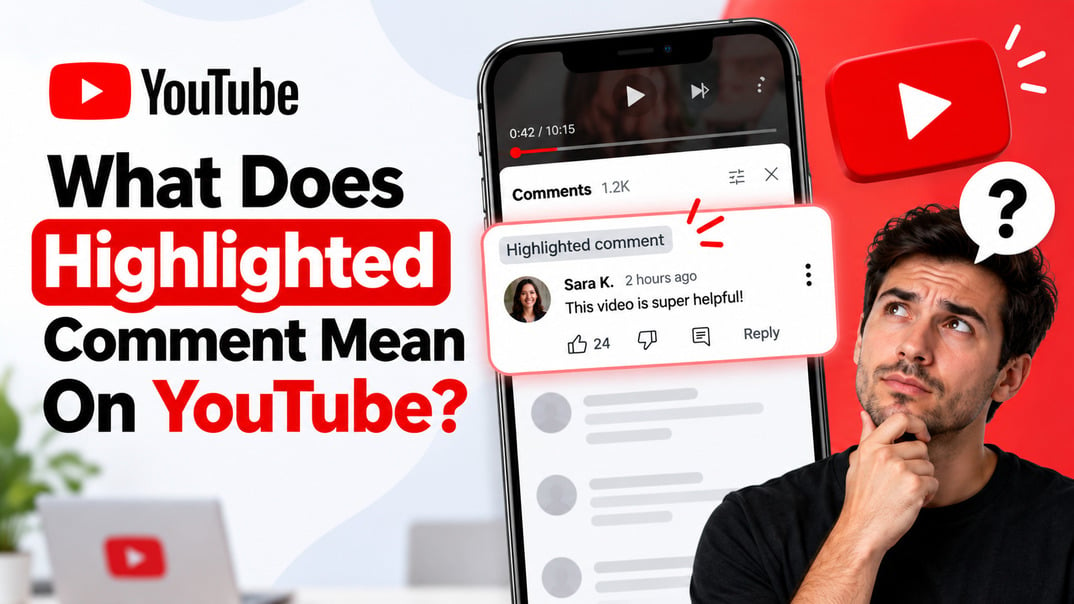



A highlighted comment is a personal YouTube navigation marker, not a creator endorsement.
If you've ever opened YouTube and noticed “Highlighted comment” above a comment, you may have wondered what you did to earn it.
Did the creator choose your comment? Did YouTube rank it higher? Can everyone see it?
No. A highlighted comment is usually a temporary, user-specific marker that helps you find a particular comment or comment thread. It does not mean the creator selected your comment, and it does not make the comment more visible to everyone else.
I've worked with social platforms and content optimization long enough to know that small interface labels can cause surprisingly large misunderstandings. On YouTube, the key is knowing the difference between a highlighted comment and a pinned comment.
What Does Highlighted Comment Mean on YouTube?
A highlighted comment on YouTube is a comment that YouTube has marked to help you locate a specific comment or thread.
You may see the label after arriving at a comment through a notification, a direct comment link, or by using a comment's timestamp. YouTube itself explains that clicking a comment's timestamp can create a highlighted-comment link that isolates that comment and its thread.
The important part is this:
The highlight is primarily for your viewing experience.
It doesn't mean:
- The creator chose your comment
- YouTube thinks your comment is the best
- Your comment is trending
- Your comment received a special ranking boost
- Other viewers see the same highlighted label
- The creator has personally approved your comment
Think of it more like a bookmark that points you to a particular conversation.
Why Is My Comment Highlighted on YouTube?
There are several situations where you may encounter the Highlighted comment label.
One common scenario is opening a YouTube notification that takes you directly to a particular comment or reply. YouTube's own support community has also explained that comments can be automatically highlighted when users click notifications about interactions with their comments.
Another way is through a direct comment link.
YouTube lets users click a comment's timestamp to create a shareable link to that specific comment and its thread. When you open that type of link, YouTube can identify the comment you're being directed to and display it as highlighted.
So if you see “Highlighted comment” above your own comment, don't assume somebody at YouTube manually selected it.
In most cases, you're simply being directed to that particular part of the conversation.
Does a Highlighted Comment Mean the Creator Noticed Me?
No.
This is probably the biggest misconception surrounding YouTube highlighted comments.
A highlighted comment does not prove that the creator has read, liked, or approved your comment.
YouTube gives creators separate tools for interacting with comments. A creator can like a comment, heart it, reply to it, or pin it. These actions have different meanings and visibility.
If a creator has actually pinned your comment, that's different.
You'll normally see a “Pinned by [Channel Name]” indicator, and the comment is placed at the top of the comment section for viewers. YouTube explicitly describes pinning as a way for creators to highlight a comment for their fans.
So:
Highlighted comment = YouTube helps you find it.
Pinned comment = the creator deliberately places it at the top.
That's the distinction worth remembering.
Can Other People See My Highlighted Comment?
The highlighted status is not a public endorsement.
The comment itself is public if the video allows public comments, but the personalized highlight you see does not mean every viewer sees that comment marked in the same way.
This is why you might send a screenshot to a friend and discover that they don't see the same Highlighted comment label.
The situation is different with a pinned comment. YouTube says that pinned comments appear at the top of the watch page, with a “Pinned by” indicator showing the channel name.
That's a public creator action rather than a personal navigation aid.
Highlighted Comment vs. Pinned Comment
These two features are easy to confuse because both can make one comment appear more prominent.
Here's the simple difference:
|
Feature |
Highlighted Comment |
Pinned Comment |
|---|---|---|
|
Who triggers it? |
YouTube/user navigation |
Video creator |
|
Main purpose |
Find a specific comment or thread |
Put a comment at the top |
|
Is it creator approval? |
No |
It can indicate creator selection |
|
Is it public as a highlight? |
No |
Yes |
|
Appears at top for everyone? |
No |
Yes |
|
Can it be your own comment? |
Yes |
Yes, if you're the creator |
|
Does it mean the comment is “the best”? |
No |
Not necessarily |
|
Can creators use it to feature comments? |
No |
Yes |
YouTube's creator documentation specifically says that creators can pin either their own comment or a fan's comment, and that pinning replaces an existing pinned comment.
What Does a Pinned Comment Look Like?
A pinned comment normally has a “Pinned by” label accompanied by the channel name.
That is your strongest visual clue that the creator intentionally selected the comment.
A highlighted comment is different. It is associated with the particular viewing path that brought you to the comment.
What Is a Highlighted Reply on YouTube?
You may also see “Highlighted reply” rather than “Highlighted comment.”
The idea is similar.
Instead of directing you to a top-level comment, YouTube is pointing you toward a particular reply within a conversation.
This is especially useful when a comment has dozens or hundreds of replies. Rather than making you search through the entire thread, YouTube can take you directly to the relevant response.
For example, imagine you commented:
“This tutorial finally helped me understand SEO.”
Someone replies:
“Same here. The keyword research section was the best part.”
If you open a notification about that reply, YouTube can take you directly into that conversation rather than making you find the original comment manually.
Does a Highlighted Comment Get More Views or Likes?
No, not simply because it is highlighted.
The highlight itself isn't a promotion tool.
It doesn't automatically push your comment to the top for everyone, increase YouTube views, or give it additional exposure.
That's another important difference from a pinned comment. A creator can deliberately pin a comment to make it the first comment viewers see when they open the full comment section. YouTube specifically describes pinning as a way to highlight what fans see first.
If you're trying to get more engagement on YouTube, focus on things that actually encourage interaction:
- Write comments that add something useful
- Ask specific questions
- Start conversations
- Reply to people who engage with you
- Create videos that invite discussion
- Give viewers a reason to participate
If you want to get more comments on your YouTube video, focus on strategies that encourage genuine interaction rather than relying on automated highlights.
A gray Highlighted comment label isn't a growth strategy by itself.
Can You Make a Comment Highlighted on YouTube?
Yes, in the sense that YouTube provides ways to generate a direct link to a particular comment.
For example, on YouTube's web interface, clicking the timestamp associated with a comment can create a Highlighted Comment link for that specific comment and its thread.
But that's not the same as manually “highlighting” a comment for the entire YouTube audience.
You cannot turn your comment into a public featured comment simply by clicking an option.
If you're a creator and want everyone to see a particular comment near the top, pin it instead.
How Do You Highlight a Comment on YouTube?
If your goal is to create a direct link to a specific comment, the process is straightforward.
On desktop
1. Open the YouTube video.
2. Scroll to the comments.
3. Find the comment you want to reference.
4. Click the timestamp associated with the comment.
5. YouTube creates a link that points to that specific comment and thread.
6. Copy the URL if you want to share it.
YouTube documents this as a way to create a shareable link to a specific comment.
The result isn't the same as pinning.
You're creating a direct route to a conversation, not publicly promoting that comment.
How Do Creators Pin a Comment?
If you're a YouTube creator and your goal is to make a comment visible at the top of your video's comments, use the Pin function.
According to YouTube, creators can select a comment, choose More, select Pin, and confirm the action. You can pin either your own comment or a fan's comment.
A pinned comment can be useful for:
- Answering a common question
- Clarifying something in your video
- Adding a link or call to action
- Thanking viewers
- Starting a discussion
- Highlighting an important update
- Directing viewers toward another resource
YouTube itself recommends pinning comments as one way creators can build community and communicate with their audiences.
Is a Highlighted Comment Good or Bad?
Neither.
A highlighted comment isn't a quality score.
YouTube isn't telling you:
“This is a particularly good comment.”
It's simply helping you identify a particular comment or conversation.
So if your comment says Highlighted comment, don't read too much into it.
It doesn't mean you won anything, and it doesn't mean your comment is being penalized.
It's simply a navigation feature.
Why Does YouTube Highlight Comments?
From a user-experience perspective, the reason is simple: YouTube has an enormous number of comments and replies.
If you receive a notification about somebody responding to your comment, it would be frustrating to open the video and then have to search manually for the conversation.
A highlighted comment helps connect the notification or direct link with the exact conversation you're looking for.
This fits with other comment-navigation features on YouTube, including comment history and direct links to individual comments.
In other words, the feature isn't really about rewarding comments.
It's about reducing friction.
What Does This Mean for YouTube Creators?
If you're growing a YouTube channel and aiming to accumulate more watch hours, don't confuse comment highlighting with broader audience engagement.
What matters more is how actively your audience participates in conversations.
YouTube gives creators several tools for this, including replying, liking, hearting, pinning, searching and filtering comments.
A good comment strategy is therefore much broader than trying to get a comment “highlighted.”
I recommend paying attention to:
1. Questions
Questions create natural opportunities for replies and can reveal what your audience wants to know next.
2. Useful feedback
Pay attention when viewers explain where they got stuck, what they enjoyed, or what they want you to cover next.
3. Repeat conversations
A viewer who repeatedly comments is potentially much more valuable to your community than someone who leaves one random comment.
4. Creator replies
When appropriate, reply to viewers instead of treating the comment section as a one-way feedback channel.
5. Pinned comments
Use pinned comments strategically for information you want viewers to see immediately.
You can also use strategies to increase comment likes and make key discussions stand out.
YouTube recommends replying to comments and using comment interactions to build community around your videos, which ultimately helps you get more subscribers over time.
Can You Use YouTube Comments to Build a Stronger Online Reputation?
Yes, but YouTube comments are only one part of a broader online presence.
If you're a business owner, your reputation also exists outside YouTube. Your Google Business Profile, Google reviews, website, social profiles and other public feedback can all influence how potential customers perceive you.
For businesses considering the service, the main components include:
- Google review packages: Choose the number of reviews according to the campaign.
- Gradual delivery: Reviews are delivered over time rather than as one large batch.
- Custom content: Businesses can provide text or key points, or request industry-specific writing.
- Location targeting: ReviewGrow says it supports location-based targeting across the US, UK and 90+ other countries.
- Reviewer options: The service offers male and female reviewer options.
- Support: The company provides customer support and says it monitors campaigns.
- Guarantees: ReviewGrow advertises money-back, refill and quality guarantees.
- Free tools: Its site also offers a Google Review Calculator, AI Review Generator and Review Response Generator.
The service is therefore aimed at Google reputation and local visibility, not at manipulating which comments YouTube highlights.
One important caveat: businesses should always make sure any review-acquisition strategy complies with Google's current policies and applicable advertising or consumer-protection rules. The safest long-term approach is to encourage genuine customers to leave honest feedback.
Read more: How To Turn On Comments On YouTube? - Enable YouTube Comments
Final Take
So, what does highlighted comment mean on YouTube?
It usually means YouTube is helping you locate a specific comment or comment thread. It is a personalized navigation feature, not a public award.
If you see Highlighted comment, don't assume the creator noticed you.
If you see Pinned by [Channel Name], that's different. The creator deliberately pinned that comment so viewers can find it at the top of the comment section.
Once you know that distinction, the feature becomes much less mysterious.
Frequently Asked Questions
1. What does highlighted comment mean on YouTube?
A highlighted comment is a YouTube navigation marker that helps you locate a specific comment or thread. It does not necessarily mean the creator selected or approved the comment. YouTube can generate highlighted-comment links when users navigate directly to a particular comment.
2. Why is my comment highlighted on YouTube?
Your comment may be highlighted because you arrived at it through a notification, direct comment link, or another navigation path that points to that specific comment or thread.
3. Does a highlighted comment mean the creator liked my comment?
No. A highlighted comment does not mean the creator liked, hearted, replied to, or approved your comment. Those are separate YouTube interactions.
4. Can other people see my highlighted comment?
Other people can see the comment itself if it is publicly available, but the personalized highlighted status is not the same as a creator-selected public feature.
5. Does YouTube automatically highlight comments?
Yes, YouTube can automatically highlight a comment when you navigate to a specific comment or comment thread through a notification, direct link, or similar navigation path. The highlight helps you find the relevant comment and does not mean YouTube has endorsed or promoted it.
6. What is the difference between a highlighted and pinned comment on YouTube?
A highlighted comment is primarily a navigation marker that helps you locate a specific comment or thread. A pinned comment is deliberately placed at the top of a video's comment section by the creator.
In other words, highlighted is usually personal and navigation-related, while pinned is creator-controlled and publicly displayed as a featured comment.
7. Who can pin a comment on YouTube?
The creator or channel owner can pin a comment on their video's comment section. YouTube allows creators to pin either their own comment or a fan's comment.
8. Does a highlighted comment get more views?
No. A highlighted comment does not automatically receive more views, likes, replies, or engagement. Its purpose is to help you locate a specific comment or thread, rather than to give that comment greater visibility across YouTube.
9. What does highlighted reply mean on YouTube?
A highlighted reply works in much the same way as a highlighted comment. It helps you locate a particular reply within a comment thread, usually after following a notification or direct link. It does not necessarily mean that the creator selected or endorsed the reply.
10. How do I highlight a comment on YouTube?
You generally do not highlight a comment manually in the same way you pin one. YouTube can highlight a specific comment or thread when you navigate to it through a notification, direct comment link, or similar route. You can also click a comment's timestamp to create a link that takes users directly to that comment and its thread.
11. Is a highlighted comment good or bad?
A highlighted comment is neither inherently good nor bad. It simply helps identify a specific comment or thread. If your comment is highlighted, it does not automatically mean that YouTube or the creator considers it especially valuable.
12. Does a highlighted comment mean I was noticed by YouTube?
Not necessarily. A highlighted comment usually indicates that YouTube is directing you to a particular comment or thread. It should not be interpreted as a sign that YouTube has specially recognized, promoted, or endorsed your comment.