


YouTube offers creators multiple visibility settings: Public, Unlisted, and Private, to control how content is accessed and discovered across the platform. An unlisted YouTube video sits right in the middle: it is hidden from public discovery such as search results, recommendations, and channel feeds, yet easily accessible to anyone who has its direct link. Creators frequently rely on this setting to share previews, portfolio samples, client work, or internal videos without publishing them to their general channel audience.
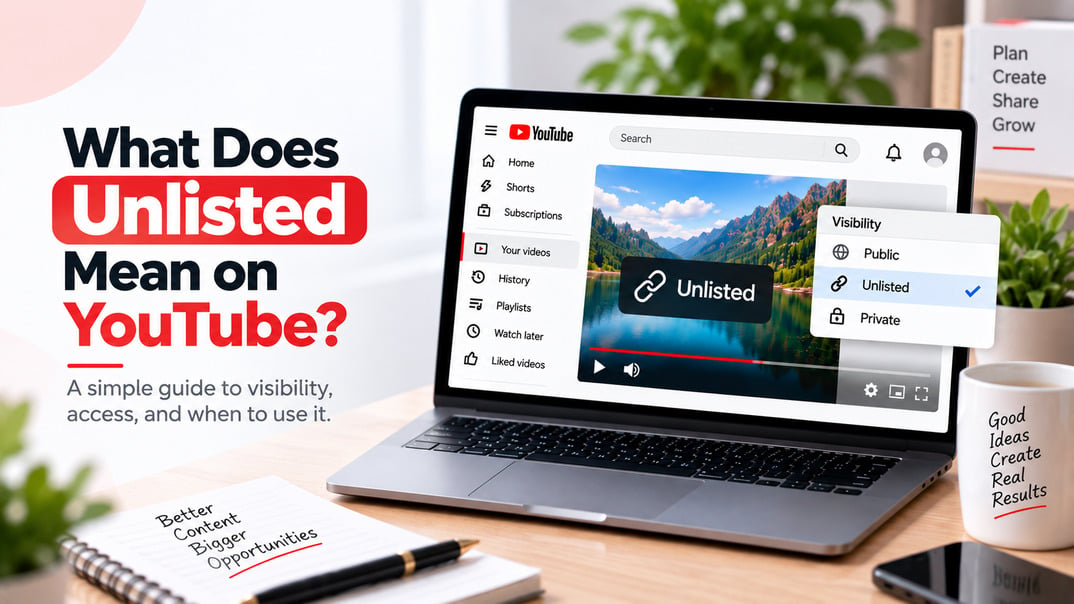
What Does Unlisted Mean on YouTube?
When you set a video to Unlisted on YouTube, the video is no longer publicly discoverable through normal YouTube search, your channel's Videos tab, recommendations, or the subscriber feed. However, the video is still watchable by anyone who has the direct URL.
That distinction is important. Unlisted does not mean private.
I often see creators use these terms interchangeably, but they serve different purposes. An unlisted video is essentially designed for controlled sharing by link, while a private video is restricted to the people you specifically authorize.
YouTube confirms that anyone with the link can watch and reshare an unlisted video, and viewers do not need a Google Account to watch it. An unlisted video can also be added to a public playlist, which can make it discoverable through that playlist.
Think of the three main visibility options this way:
- Public: Anyone can discover and watch the video.
- Unlisted: Anyone with the link can watch it, but it is not normally discoverable.
- Private: Only you and the people you specifically choose can watch it.
That makes Unlisted useful when you want access without broad public exposure.
How Do Unlisted YouTube Videos Work?
The easiest way to understand an unlisted video is to separate **access** from **discovery**.
A public video can be discovered through YouTube search, recommendations, your channel page, related videos, and subscriber feeds.
An unlisted video is different. YouTube does not normally surface it in those places. Someone generally needs the direct link to find it.
Once they have the link, however, there is no guarantee that the person will keep it to themselves.
For example, imagine that you upload a portfolio video and send the URL to a potential client. The client can watch it without subscribing to your channel or signing into a Google Account. They can also forward the URL to a colleague.
That is why I describe unlisted as **link-based access, not password-protected access**.
YouTube's current documentation also notes that an unlisted video can appear in YouTube search if someone adds it to a public playlist.
What Happens When You Make a YouTube Video Unlisted?
Changing a video from Public to Unlisted changes how people discover it, but it does not delete the video or its URL.
The main changes are:
- It disappears from the Videos tab on your channel.
- It does not normally appear in YouTube search.
- It does not appear in normal recommendations.
- It does not appear in the subscriber feed.
- People who have the URL can still watch it.
- The URL can still be shared.
- Viewers can still comment allowing you to get more comments on your YouTube video
- The video can still be added to a public playlist.
- YouTube can still review the video for copyright and ad suitability.
This last point is worth emphasizing because I see a lot of outdated explanations online that treat an unlisted video as if it is outside YouTube's normal systems.
It isn't.
Unlisted describes the video's **visibility**, not whether YouTube can process, review, or enforce policies on it.
Unlisted vs. Private vs. Public YouTube Videos
If you are deciding which setting to use, this comparison is the simplest way to approach it:
|
Feature |
Public |
Unlisted |
Private |
|
Anyone can watch |
Yes |
Yes, with the link |
No |
|
Appears in YouTube search |
Yes |
No, except through a public playlist |
No |
|
Appears on your channel |
Yes |
No |
No |
|
Appears in recommendations |
Yes |
No |
No |
|
Appears in subscriber feed |
Yes |
No |
No |
|
Can be shared by URL |
Yes |
Yes |
Restricted |
|
Google Account required |
No |
No |
Yes, for invited viewers |
|
Comments available |
Yes |
Yes |
No |
|
Can be added to a public playlist |
Yes |
Yes |
No |
|
Best for |
Maximum reach |
Controlled link sharing |
Restricted access |
YouTube's own visibility documentation confirms these distinctions. Public videos can appear in search and related video lists, unlisted videos can be watched and shared by anyone with the link, and private videos can only be viewed by you and people you choose.
Which one should you choose?
Use Public if your goal is discovery and growth.
Use Public if your goal is to get more subscribers, maximize discovery, and build channel authority.
Use Private if you need tighter control over exactly who can access the video.
For most creators, the decision comes down to one question:
Do I want people to discover this video, or do I simply want people with the link to access it?
If the answer is the second one, Unlisted is usually the appropriate setting.
Why Do YouTubers Make Videos Unlisted?
There are plenty of legitimate reasons to use an unlisted video.
1. Sharing a video with a client
Freelancers, agencies, video editors, designers, and marketers can use unlisted videos as private-ish presentation links.
For example, you could upload a completed campaign video as Unlisted, send it to a client for approval, and only make it Public after the final version is approved.
2. Sharing educational material
Teachers, trainers, coaches, and course creators can use unlisted videos to share supplementary material without putting every video on their public channel.
3. Creating a video portfolio
An editor or filmmaker might want prospective clients to see selected work without displaying every piece of their portfolio publicly.
4. Embedding a video on another website
Unlisted videos can be embedded on external websites. This makes the setting useful when you want the video available on a specific page without relying on YouTube search traffic.
5. Testing content before publication
Creators sometimes use Unlisted as part of their publishing workflow.
You can upload the finished video, check the title, description, thumbnail, chapters, captions, links, and overall presentation, then switch the video to Public when you're ready.
6. Sharing a video with a limited audience
If you have a webinar recording, event video, internal presentation, or other content that doesn't need public discovery, Unlisted can be a convenient middle ground to get more comments on your YouTube video from specific audiences.
Just remember that anyone who gets the URL can potentially share it.
Is an Unlisted YouTube Video Private?
**No.**
This is probably the most important thing to understand about YouTube's Unlisted setting.
An unlisted video is **not confidential content**. It is simply content that YouTube does not normally display publicly.
If you send an unlisted video to 10 people, those people can potentially send the link to other people.
If you need strict access control, Private is the better option.
YouTube's private-video system requires viewers to be specifically invited and signed into the appropriate Google or YouTube account.
So I use this rule when advising creators:
Unlisted is for limited discovery. Private is for limited access.
Those are not the same thing.
Can Anyone Watch an Unlisted YouTube Video?
Yes, provided they have the video's link.
A viewer generally does not need to subscribe to your channel or have a Google Account just to watch an unlisted video.
This is one of the biggest differences between Unlisted and Private.
However, having the link is effectively the access requirement. If someone doesn't have the URL, they normally won't find the video through YouTube's search or your channel.
And because links can be forwarded, you should never treat an unlisted URL as a secure password or authentication mechanism.
Can You Find an Unlisted Video on YouTube?
Normally, no.
An unlisted video does not normally appear in YouTube search results, the creator's Videos tab, recommendations, or subscriber feeds.
There is one important exception: YouTube says an unlisted video can appear in search if someone adds it to a public playlist.
So if you are trying to keep a video away from public discovery, don't assume that Unlisted provides absolute invisibility under every circumstance.
The safest interpretation is:
Unlisted videos are not normally discoverable through YouTube's public surfaces.
Can Unlisted Videos Get Views?
Yes.
An unlisted video can receive views when people watch it through its direct URL, an embed, or another route that gives them access.
This is another common misconception. **Unlisted does not mean unwatched.**
The difference is where the viewers come from.
A public video can acquire viewers through search, recommendations, browse features, your channel, external links, and other discovery systems.
An unlisted video primarily relies on people who already have access to the link or encounter it through an allowed sharing or embedding route.
If you are using YouTube specifically to grow an audience, this distinction matters. An unlisted video is not a substitute for a public video when your objective is organic discovery.
Do Unlisted YouTube Videos Get Monetized?
This question needs a little more nuance than the usual yes-or-no answer.
Unlisted status itself is a visibility setting, not a blanket monetization ban.
YouTube's current documentation says unlisted videos can still be reviewed for ad suitability, copyright, and other abuse-prevention mechanisms. Monetization eligibility depends on YouTube Partner Program requirements and the content's compliance with YouTube's monetization policies.
So I would not tell a creator that simply making a video Unlisted automatically makes it ineligible for monetization.
At the same time, if your goal is to generate significant advertising revenue through YouTube discovery, Public is generally the more relevant visibility setting because an unlisted video is not normally surfaced through search, recommendations, or subscriber feeds.
In other words, visibility and monetization are separate questions.
How to Make a YouTube Video Unlisted
You can change a video's visibility through YouTube Studio.
The basic process is:
1. Sign in to YouTube Studio.
2. Open Content.
3. Select the video you want to change.
4. Open the video's Visibility settings.
5. Select Unlisted.
6. Save the change.
7. Copy the video's URL if you want to share it.
YouTube currently offers Public, Unlisted, and Private as the main video visibility choices.
You can also change an existing Public video to Unlisted or switch an Unlisted video back to Public later.
The URL remains associated with the same video when you change its visibility, so you do not need to upload the video again simply because you changed its visibility setting.
Can You Change an Unlisted Video to Public?
Yes.
This is actually a useful workflow for creators.
You can upload a video as Unlisted, review everything, send it to collaborators, make any necessary changes, and then switch it to Public when it is ready for your audience.
Once you make it Public, YouTube can surface the video through public discovery features such as search and recommendations, and it can appear on your channel and in subscriber feeds.
For creators who are serious about YouTube SEO, this can be useful during the pre-publication stage.
I would use Unlisted for the review phase, then Public for the growth phase.
Does Unlisted Affect YouTube SEO?
Yes, but mostly because of discoverability.
An unlisted video is not normally available to YouTube users through search, recommendations, your channel's public Videos tab, or subscriber feeds.
That means you should not use Unlisted if your primary goal is to rank a video in YouTube search or maximize organic discovery.
If you're working on YouTube SEO, I recommend treating visibility as part of the overall publishing strategy:
Unlisted → preparation and controlled sharing
Public → discovery and audience growth
Making a video Unlisted does not make the content itself disappear. It changes the number of ways people can naturally encounter it.
Can You Use Unlisted Videos for YouTube Shorts?
YouTube's visibility system also includes Unlisted for videos and Shorts, but the strategic question is more important than the setting itself.
If your goal with a Short is to reach new viewers through the Shorts ecosystem, making it Unlisted works against that objective because unlisted content is not normally surfaced through YouTube's discovery systems.
If you're using a Short as a preview, review asset, or link-only piece of content, Unlisted can make sense.
For audience growth, however, Public is the more appropriate choice.
Are Unlisted YouTube Playlists Different From Unlisted Videos?
The same basic principle applies.
An unlisted playlist can be viewed and shared by anyone with the link. It isn't normally shown publicly like a public playlist.
YouTube lets playlist owners change playlist visibility through YouTube Studio, with Public, Private, and Unlisted options available.
This can be useful if you want to organize a collection of videos for a specific audience without putting the playlist on public display.
When Should You Use an Unlisted YouTube Video?
I recommend Unlisted when you want **access without broad discovery**.
It's a good fit for:
- Client approvals
- Video portfolios
- Internal presentations
- Course materials
- Event recordings
- Website embeds
- Private previews
- Collaborator reviews
- Content awaiting publication
- Videos shared with a specific group
I would choose Private instead when the content is sensitive or when you need stronger control over who can watch it.
And I would choose Public when the goal is audience growth.
The best visibility setting depends on what you want the video to accomplish.
What About ReviewGrow and YouTube Growth?
If you're using YouTube as part of a wider digital marketing strategy, it's worth separating your video strategy from your reputation strategy.
ReviewGrow is focused on Google reviews, online reputation, and local visibility rather than YouTube video distribution. Its service includes review campaigns, location targeting, customized review content, gradual delivery, and support for businesses looking to strengthen their Google Business Profile.
For businesses that rely on both video content and local search, that distinction matters. YouTube can help demonstrate expertise, answer customer questions, and build brand awareness, while a strong Google Business Profile can influence how potential customers evaluate the business when they are ready to buy.
ReviewGrow also provides tools such as a Google Review Calculator, AI Review Generator, and Review Response Generator, which can support the reputation side of that broader marketing strategy.
I would not use an unlisted YouTube video as a replacement for a public content strategy. Instead, think of it as one visibility setting within a larger marketing workflow.
Final Take
An unlisted YouTube video is accessible through its link but is not normally publicly discoverable on YouTube.
That makes it useful when you want to share a video without putting it directly in front of your entire YouTube audience.
The key distinction is simple:
Public = discoverable
Unlisted = accessible by link
Private = restricted to selected viewers
If you're trying to grow a YouTube channel, I would generally keep your growth-focused videos Public. Use Unlisted when you need controlled sharing, previews, client approvals, embeds, or other situations where search visibility is not the goal.
Frequently Asked Questions
What does unlisted mean on YouTube?
Unlisted means the video is not normally shown in YouTube search, on your public channel, in recommendations, or in subscriber feeds, but anyone with the direct link can watch it.
Can anyone watch an unlisted YouTube video?
Yes. Anyone who has the video's URL can watch an unlisted video, and they generally do not need a Google Account.
Can people find an unlisted YouTube video without the link?
Normally, no. However, YouTube says an unlisted video can appear in search if someone adds it to a public playlist.
Is an unlisted YouTube video private?
No. Unlisted and Private are different visibility settings. Anyone with the link can watch an unlisted video, while private videos are restricted to people you choose.
Can someone share an unlisted YouTube video?
Yes. Anyone who has the link can reshare it. This is why an unlisted video should not be treated as confidential.
Do unlisted YouTube videos get views?
Yes. An unlisted video can receive views when people access it through its URL, an embed, or another available sharing route.
Do unlisted YouTube videos make money?
Unlisted status does not by itself determine monetization eligibility. YouTube evaluates monetization separately based on channel and content requirements, while unlisted primarily controls discoverability.
Do unlisted videos appear on your YouTube channel?
No. Unlisted videos do not appear in the Videos tab of your public channel.
Can an unlisted video appear in YouTube search?
Normally, no. One exception is when an unlisted video is added to a public playlist, according to YouTube's current documentation.
Can you change an unlisted video to public?
Yes. You can change its visibility to Public through YouTube Studio. Once public, the video can become available through YouTube's normal discovery features.
What is the difference between unlisted and private on YouTube?
An unlisted video can be watched by anyone with its link. A private video can only be watched by you and viewers you specifically authorize.
Should I make my YouTube video public or unlisted?
Choose Public when you want views, discovery, search visibility, recommendations, and channel growth. Choose Unlisted when you want people with the link to access the video without making it part of your normal public YouTube presence.